How to get your Shopify products recommended in ChatGPT
ChatGPT stopped selling products in March 2026, but it still recommends them. How it picks, and four fixes that get your Shopify products chosen.
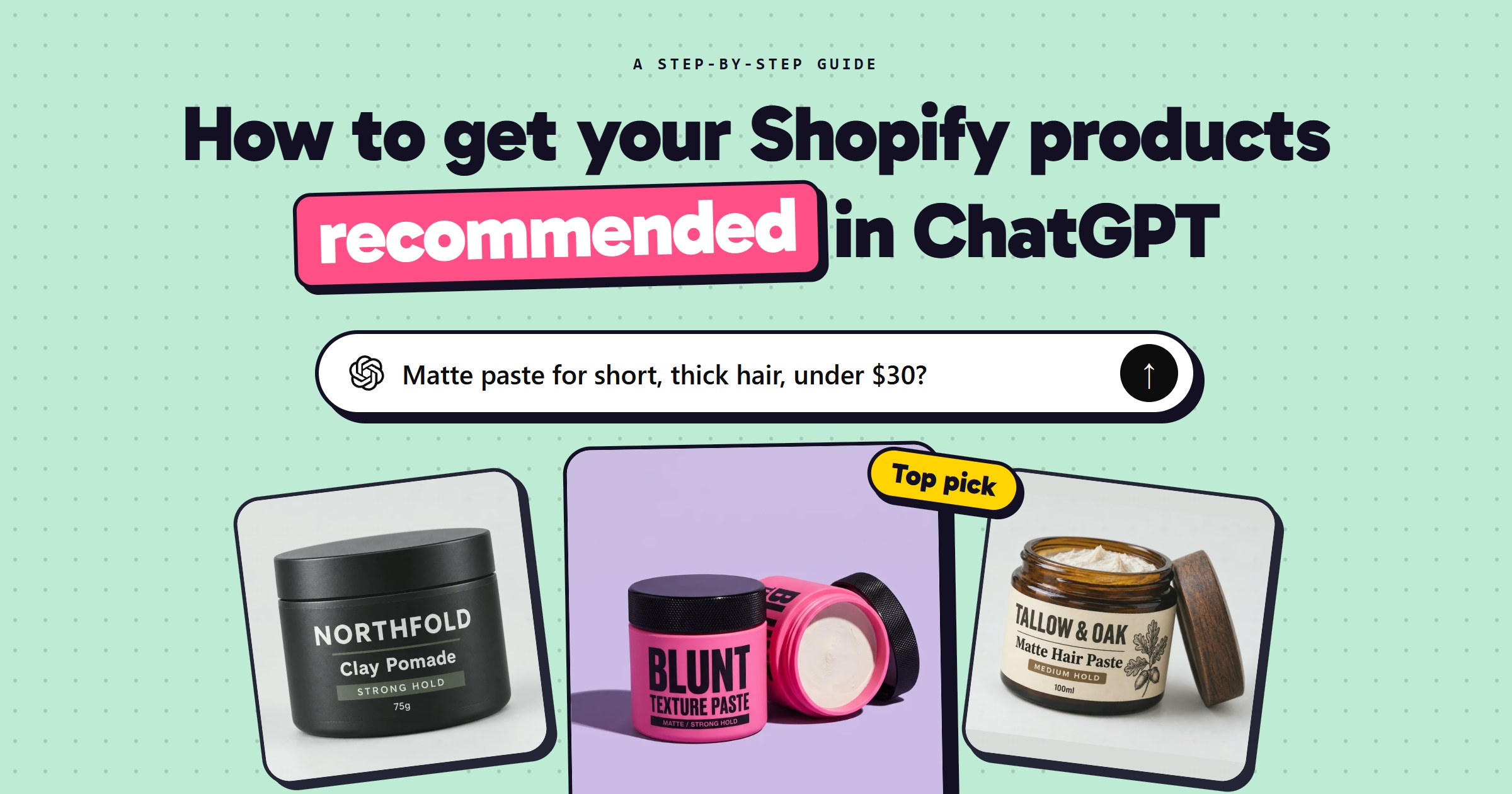
ChatGPT no longer sells anything itself. It recommends products, and the shopper clicks through and buys on your store. To be one of the products it recommends, you need four things: to be in Shopify Catalog (most stores already are), a product title that holds the words a shopper's question gets boiled down to, the facts ChatGPT compares products on, and a place in Google Shopping's free listings, which is where most of ChatGPT's product cards come from.
This guide follows one product the whole way: Blunt's texture paste, a $26 matte paste for short hair, and one question a shopper might ask about it.
What changed in 2026: ChatGPT recommends, your store sells
In September 2025 OpenAI launched Instant Checkout, which let shoppers pay without leaving the chat. In March 2026 it was withdrawn: reportedly only about a dozen Shopify merchants ever went live with it. OpenAI said it would "focus our efforts on product discovery" and let merchants use their own checkout.
The same week, Shopify turned on agentic storefronts by default. Your products now go through Shopify Catalog to ChatGPT, Microsoft Copilot, Perplexity and Google's AI Mode. When a shopper taps one of your products in ChatGPT, your own checkout opens inside ChatGPT's browser, with your discounts, payment methods and branding.
I've got short, thick hair that goes flat by lunch. Matte paste under $30?
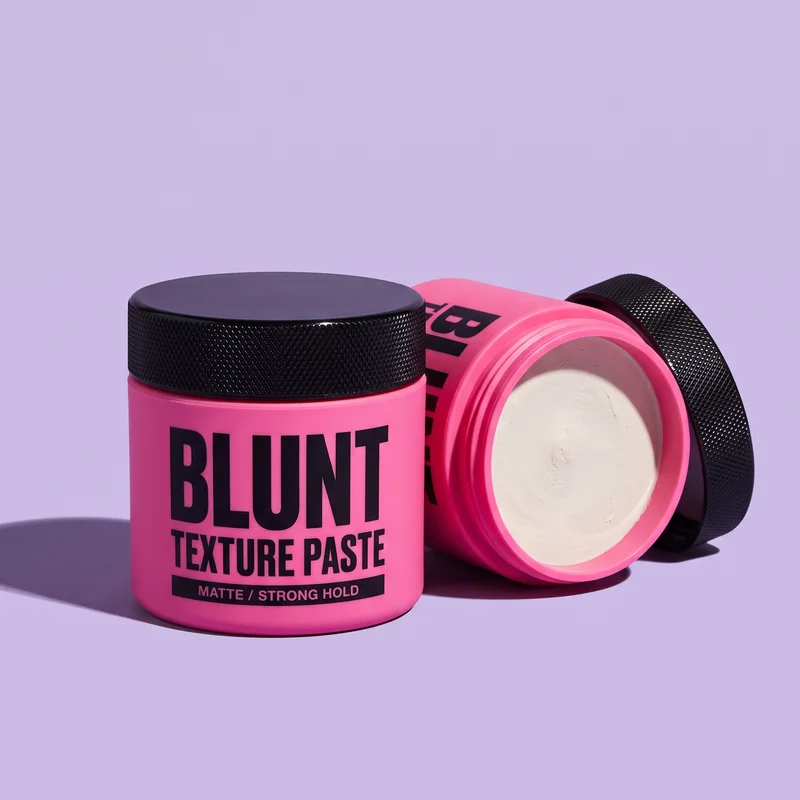 Blunt Texture Paste$26 · blunt
It's worth the effort. In its Q2 2026 results Shopify said orders from AI channels had tripled in a year, that new customers arrive through them at nearly twice the rate of other channels, and that 75% of AI-driven purchases were outside its 100 biggest categories. That last number is the one for a small store: AI is good at matching an oddly specific question to an oddly specific product. It's still small next to search, and Shopify calls it "a complement to search, rather than a substitute".
How ChatGPT picks which products to show
A shopping answer is built from two separate searches, and each one needs something different from you:
Three matte pastes under $30 that hold up on thick hair:
Blunt Texture Paste$26blunt · in stock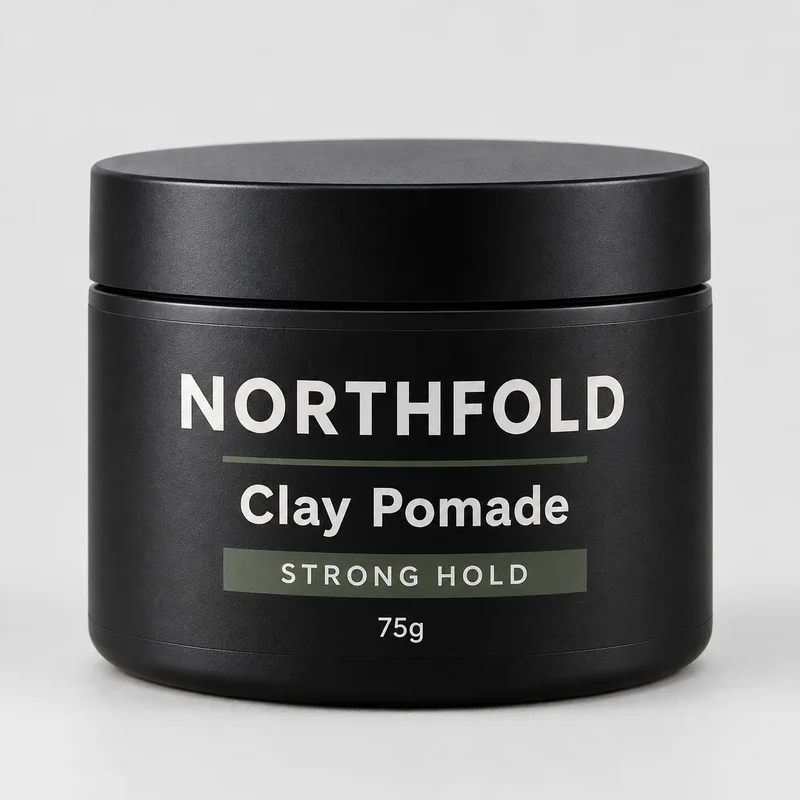 Northfold Clay Pomade$24northfold · in stock
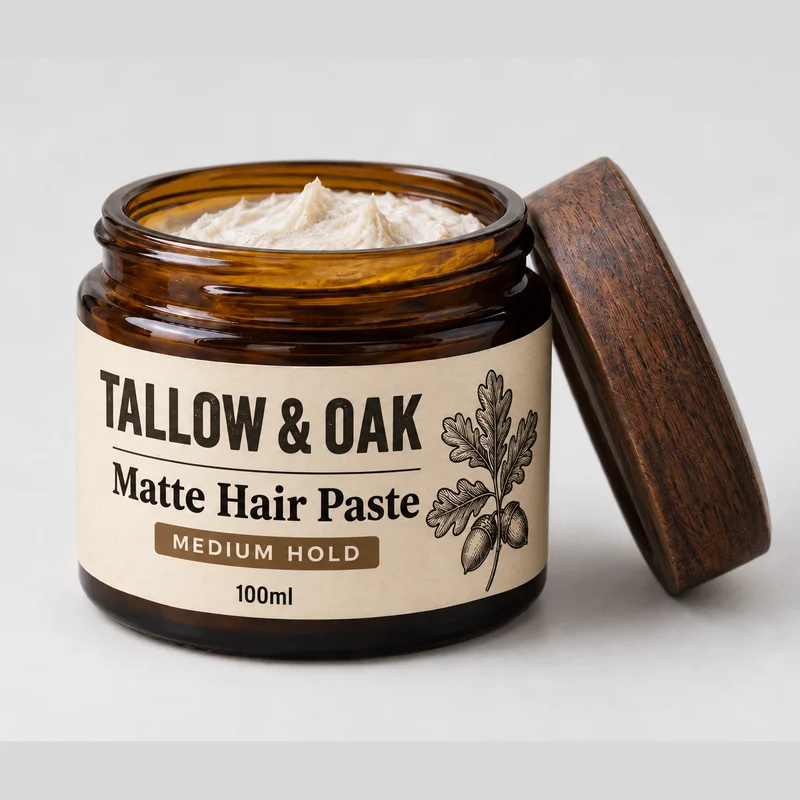 Tallow & Oak Matte Hair Paste$29tallow & oak · in stock
Blunt comes up most for thick hair that drops by midday: strong hold, a dry matte finish, and it washes out with water. Northfold is cheaper, with a little more shine.
- The product cards come from a shopping search. ChatGPT boils the question down to a query of about seven words and looks that up. A study of 43,000 of its product cards (Peec AI, March 2026) found that 83% matched products in Google Shopping's top 40 free results. Only 11% matched Bing's. Shopify Catalog also feeds products in directly.
- The words around them come from ordinary web search: reviews, Reddit threads, "best paste for thick hair" articles. This is why a product can appear in the cards and still not be the one the answer recommends.
- When several stores sell the same product, OpenAI says it ranks them on availability, price, quality, and whether the store is the maker or main seller.
That last point is the uncomfortable one if you dropship. If forty stores sell the same paste with the same supplier photos, you are not the maker, and ChatGPT will send the shopper to whichever of the forty is cheapest or best reviewed. Make the product yours before you work on anything below: your own brand on it, your own photos, or a bundle nobody else sells.
These are measurements, not rules OpenAI publishes, and where it gets its products could change. Complete product data and real reviews help whatever it does next.
Step 1: Check your store is in Shopify Catalog
Most stores are already in, because it's on by default. It takes five minutes to be sure. In your Shopify admin, go to Sales channels → Agentic and check ChatGPT is on. Then check nothing on Shopify's list of requirements is keeping you out. Tap each line that's true for your store:
Your account also has to be in good standing: real sales, orders shipped on time, few chargebacks.
Don't turn it off to keep control of your listings. Shopify says AI search using its catalogue converts at twice the rate of AI search that has to scrape product pages.
You'll also read that you must unblock AI crawlers in your robots.txt. Shopify's default file already lets them in: a scan of 10,099 Shopify stores in September 2026 found just six blocking OAI-SearchBot, the crawler ChatGPT shops with. Only check yourstore.com/robots.txt if someone once pasted a "block AI" list into your theme.
Step 2: Write a title that survives the shopper's question
People don't type keywords into ChatGPT. They describe their situation. By January 2026 about 70% of prompts were full, contextual sentences, 28% named a budget, and 32% said something about the person: a size, a job, a hair type. ChatGPT then boils that sentence down to a short shopping query, and your title either holds those words or it doesn't:
Illustration: the kind of shopping query ChatGPT writes. Real ones average about seven words.
The formula: brand, product, the one or two things people choose it by, and the size. "Blunt Matte Texture Paste for Short, Thick Hair, Strong Hold, 70g". That isn't keyword stuffing, because every word is something a shopper actually says. Leave out words nobody asks with, like "premium" or "ultimate".
Notice the third question: "water based" isn't in the title and shouldn't be. A title can't hold everything. The rest goes in the product's details, which is Step 3.
If a long title looks clumsy on your own product page, keep the short one there and send the long one to AI. Under Sales channels → Agentic → Sources, Shopify lets you choose where the catalogue takes each product's title, description and category from. Put the long title in a metafield and point the title at it.
Step 3: Fill in the facts ChatGPT compares
Since March, ChatGPT answers shopping questions with comparison tables, and it often picks a winner on price, value and the attributes that matter for that product. A blank can't win a comparison. Here's the same question with Blunt's product data before and after it's filled in:
Here's how the three compare for short, thick hair:
Illustration. Northfold and Tallow & Oak are invented; Blunt's rating is the same in both.
Blunt still loses on price and wins anyway, because now it can be matched to the question. Four places to fill in, in this order:
- Set the product category. In the product editor, pick Shopify's standard category rather than leaving it blank or relying on a made-up product type. The category is what tells the catalogue what the product is, and Shopify then suggests the attributes that matter for it. Fill in every one that applies.
- Write the description to answer questions, not to sound good. Who it's for, who it isn't for, how much is in it, how long it lasts, what it's made of. "Not for fine hair: it will weigh it down" is the most useful line on Blunt's page, because it stops ChatGPT recommending it to the wrong person, and a returned tin costs more than a missed sale.
- Keep price and stock right. OpenAI ranks on availability, and an out-of-stock variant that still says "in stock" is the fastest way to lose a shopper's trust and ChatGPT's.
- Answer the questions around the product. Shopify's free Knowledge Base app shows what AI agents ask about your store and lets you write the answers: delivery times, returns, what's in the box. "Ships in 2-3 days" can only win a comparison if it's written down somewhere a machine can read it.
Step 4: Get into Google Shopping, then earn the words around you
If most of ChatGPT's product cards come from Google Shopping's free listings, the single biggest move is to be there, and to rank near the top:
of ChatGPT's product cards match a product in Google Shopping's free top 40.
11%match Bing's, almost all of them on Google too.
Share of the matched product cards, by Google Shopping position. Source: Peec AI, 43,000 product cards, March 2026.
- Install Shopify's Google & YouTube app (free, made by Google), connect a Merchant Center account and turn on free listings. Your products sync from Shopify, so the title and details from Steps 2 and 3 carry across.
- Fix what Merchant Center rejects. Its Products page lists every disapproved item and why: a missing image, a price that doesn't match the page, no returns policy. A disapproved product is invisible to ChatGPT too.
- Climb. 60% of the matched cards came from Google's top ten. The same complete, specific product data is what ranks you there.
Then the words around the cards. The answer text quotes what other people wrote about you, and there's no shortcut to it, only three slow habits:
- Ask every buyer for a review, a week after delivery, with a photo. Use a review app that shows the rating on your product page and sends it to Google.
- Get into the "best of" articles for your niche. Search "best paste for thick hair", find the five writers already ranking, and send them the product.
- Talk on Reddit as yourself. Answer the questions in your niche and say that you make the thing. ChatGPT quotes those threads, and people can smell an advert.
Then: make the page they land on work like a homepage
When ChatGPT sends a shopper, they usually skip your homepage. Shopify says half of AI-referred visits go straight to a product page, 2.5 times the rate from ordinary search. So the product page has to do everything the homepage usually does: say who you are, show real reviews, and give a delivery date and returns policy before they have to scroll. How to make your Shopify store look professional covers what that page needs, and why shoppers add to cart but don't check out covers the step after it.
Then check it's working, once a month:
- Ask ChatGPT the five questions your buyer would ask, in a temporary chat so your history doesn't sway it, and note whether you appear. Ask the same five every month, so you're comparing like with like.
- In Shopify Analytics, look at sessions referred by chatgpt.com. ChatGPT tags many of its links with
utm_source=chatgpt.com, but visits from its app often arrive as direct traffic, so treat the number as a floor, not the total.
Or: let Camel build the product and the page
Camel builds a Shopify store from an image of your product. It creates the product in your store with a title, a description and a list of features, its options, prices and images, and publishes it to your online store like any product you'd add yourself, so it goes into Shopify Catalog the same way. It also builds the product page the ChatGPT click lands on. The category, the attributes and the reviews stay with you: Camel doesn't set them yet.
Camel is in pre-launch. Join the waitlist and you'll get an invite on launch day, with a store built from a product of your choice.
More from the blog
· 7 min read
Why shoppers add to cart but don't check out (and how to fix it)
Why Shopify shoppers add to cart and leave: find your leak against real benchmarks, keep cart upsells simple and priced, and match each offer to the order.
Read the guide →
· 5 min read
How to make your Shopify store look professional
What makes a Shopify store look professional, and how to fix yours: one design direction, two fonts, one accent colour, matching photos, no loose ends.
Read the guide →
· 7 min read
How to create product bundles on Shopify (and price them so you still make money)
How to create product bundles on Shopify: pick the right type, price it so you keep your margin, show it where shoppers decide, and set it up step by step.
Read the guide →